How virtual gears and ERG mode work on a budget trainer
A smart trainer is a flywheel with a brake and a radio. The brake can be told what to do. This article explains how Spindro tells it, using the parts of the code that do the work, so that every claim here can be checked in the repository.
FTMS in simple terms
Most recent trainers speak FTMS, the Bluetooth standard for fitness machines. It works like a small shared language with two directions.
The trainer reports: it sends a stream of "indoor bike data" with speed, power and, if it has it, cadence. The app commands: it writes to a control point. The first command is always a request for control; if the trainer grants it, the app can then send a few simple instructions. Spindro uses three:
- Set target power (ERG): "make the rider's power this many watts".
- Set simulation parameters (slope mode): "pretend the road has this gradient".
- Set target resistance: "apply this percentage of the brake's range".
The trainer also publishes what it supports and the limits of its power range, which the app reads when it connects. If a trainer has no control point, it is read-only: Spindro shows the numbers and cannot change anything.
What ERG does
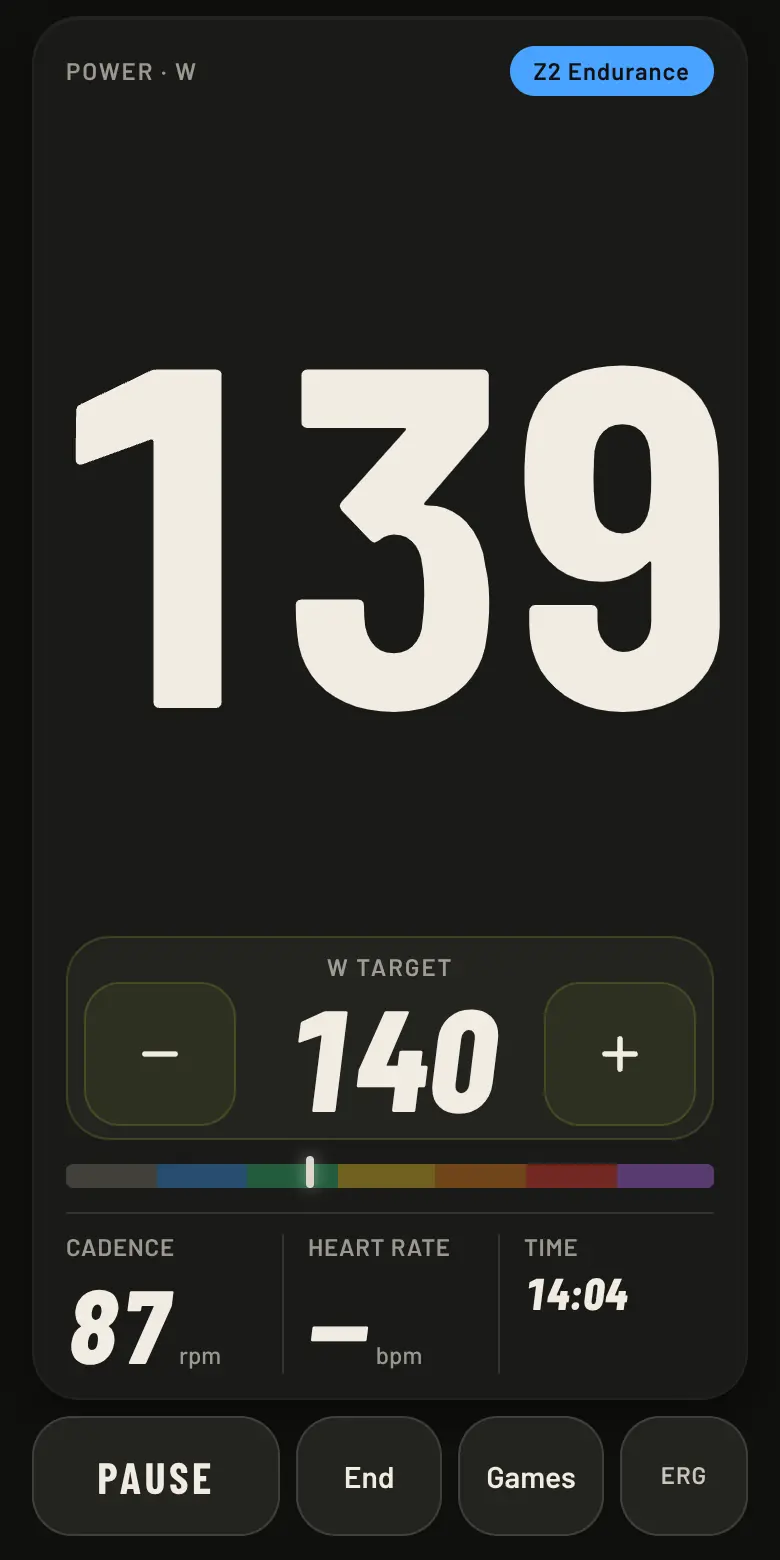
In ERG the trainer holds a power. You ask for 150 W, and the brake adjusts so that whatever you do with your legs, you produce about 150 W: pedal faster and the resistance drops, pedal slower and it rises. That is why a workout in ERG feels steady, and why it is the default mode on the home screen. The default target is 60% of your FTP, or the last value you chose.
Why the target is sent again every two seconds
Some trainers, and the Van Rysel D100 we use is one of them, appear to fix the resistance for the requested power at the speed of the moment, and do not recalculate it until they receive a new command. If you accelerate, the resistance stays where it was and the power drifts away from the target.
So the app repeats the command about every two seconds even when the value has not changed. Concretely, the one-second main loop clears the "last sent" memory when more than 1.8 seconds have passed, and the next pass sends the target again. The cost is a few Bluetooth writes. The benefit is that resistance follows your cadence and the watts stay on target. A test in the repository checks that the same value is re-sent as time passes.
Virtual gears
Gears mode imitates a bike. There are 24 ratios, spaced geometrically from 0.75 to 5.5. The app computes a virtual speed from your cadence, the ratio and a wheel circumference of 2.105 m (a 700x25c tyre), then asks a small physical model what power that speed would need: gravity on the slope, rolling resistance, aerodynamic drag and a little drivetrain loss, using your mass. The answer is sent as a target power. Shift up and the same cadence needs more watts; shift down and it needs fewer.
To avoid flooding Bluetooth, the app sends a new target only when it changes by at least 3 W, and not more often than about once per second. The "feel" setting scales the result between 40% and 100% if the gears are too hard for you. Optional auto-shift changes one gear at a time if your cadence stays more than 6 rpm away from the target for three seconds.
Cadence from the flywheel
Not every trainer sends cadence, and the D100 does not. On a trainer with a fixed drivetrain, flywheel speed is proportional to pedalling speed, so the app estimates cadence as speed in km/h times a factor. The default factor is 7.37 rpm per km/h, taken from D100 data. The factor depends on the chainring and sprocket you use, so it should be measured.
That is what the calibration in Settings does. The trainer holds a light, constant resistance (90 W) while you pedal in time with a metronome at 85 rpm. The app waits six seconds for you to settle, then measures for 15 seconds and takes the median speed, which ignores a stray stroke. The new factor is 85 divided by that speed. If you have a real cadence sensor, the measured cadence replaces the metronome. If a power meter, cadence sensor or the trainer itself sends real cadence, the estimate is not used at all.
What a controller adds
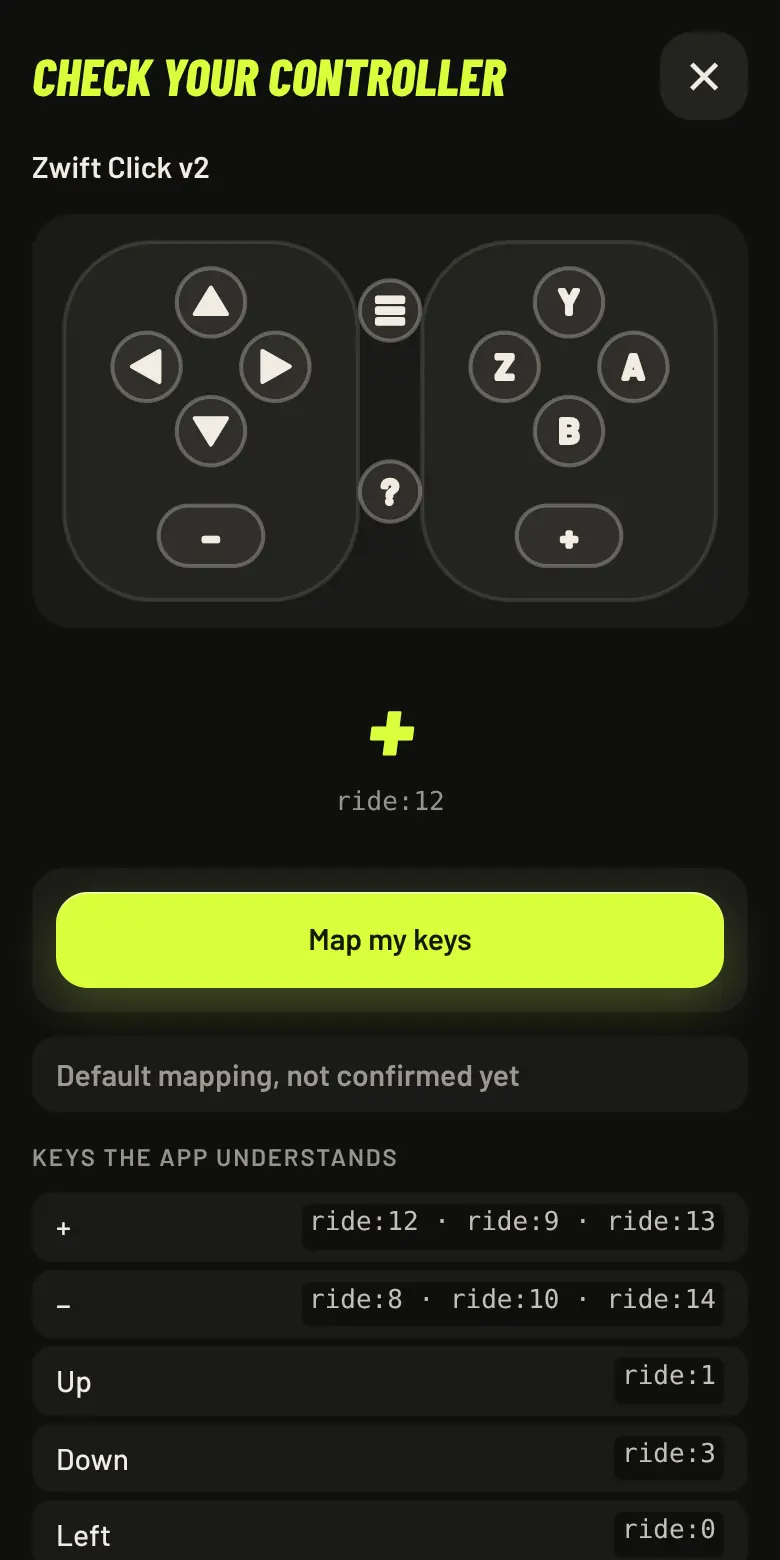
Cadence and watts tell the app what you do with your legs. A controller lets your hands talk too. A Zwift Click has + and − keys, and in gears mode they shift up and down; in ERG they change the target by 5 W, and during a workout they raise or lower the intensity by 5%. The app can also use the keys to move around its menus, so you do not need to touch the phone on the handlebars.
We are careful about what we claim. Only the + and − keys of one Click v2 have been used on real hardware. The other keys are mapped from open-source tables, so the app includes a key check: it shows which key it receives, lets you map it, and produces a short report you can send us.
Limits
All of this has been ridden on one trainer. Other trainers may behave differently, for example by answering control commands differently or ignoring some of them. If yours does something odd, tell us: the app has a report option that includes the technical log. The code is in js/ftms.js, js/gears.js and js/calibrate.js, short enough to read in an evening.
Keep reading
Why we built a free indoor-cycling app
A smart trainer you already paid for, subscriptions for everything else. Why we built Spindro, what it does, and the limits we want you to know about before you try it.
Read · 4 min readGames that are workouts
Spindro's six games follow a few design rules so that playing is training: sessions in percent of FTP, three levels, something to do every few seconds. And an invitation to build one.
Read · 5 min read